How to Do a Masonry Takeoff: A Step-by-Step Guide
A beginner-friendly, end-to-end walkthrough of turning a set of blueprints into a clean, defensible material and labor count.
A masonry takeoff is the bridge between a stack of drawings and a number you can stand behind. Done well, it tells you exactly how many brick, block, bags of mortar, tons of grout, and feet of rebar a job needs, plus the labor and equipment to put it all in place. Done sloppily, it's the reason you eat a job or lose a bid you should have won.
This guide walks through a complete masonry takeoff the way a working estimator actually does it: gather the plans, sort out wall types, measure areas, deduct openings, count by assembly, then layer on waste, bulk packaging, labor, and a final review. Whether you're picking up your first set of prints or tightening up a process you already have, you'll leave with a repeatable sequence you can run on any job.
Step 1: Gather the right plans and set your assumptions
Before you measure anything, get a complete, current set of documents. A masonry takeoff that ignores half the drawings is just a guess in a nicer font. At minimum you want:
- Architectural floor plans for wall locations and lengths.
- Exterior and interior elevations for wall heights, coursing, and openings you can't see in plan.
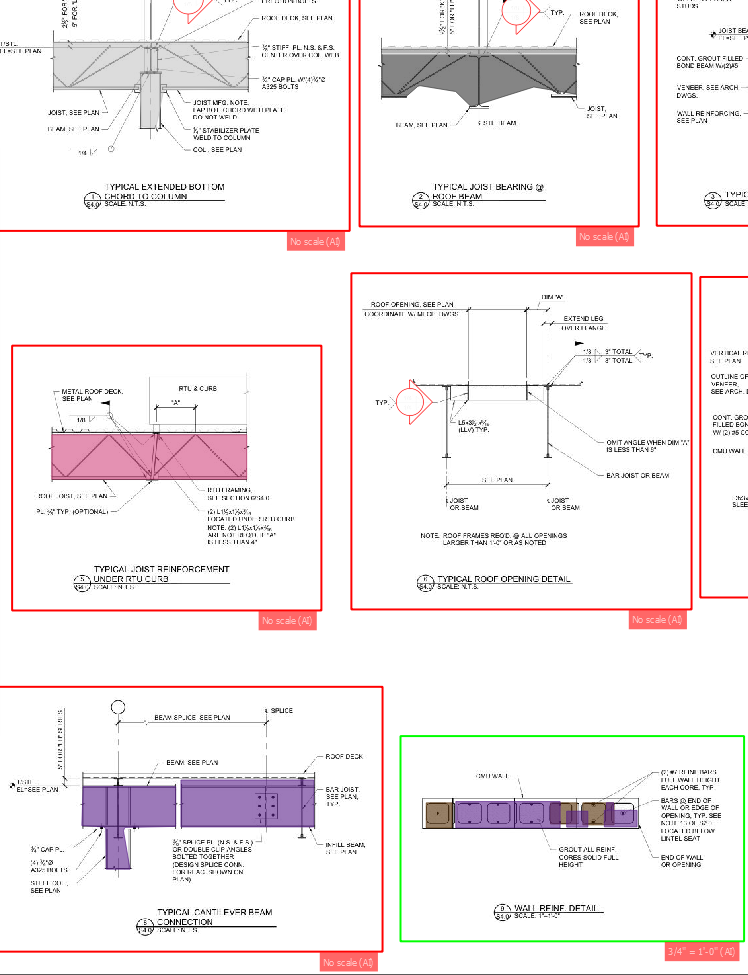
- Wall sections and details for the actual assembly: wythes, cavity, insulation, ties, flashing.
- Structural drawings and the masonry schedule for rebar size and spacing, grout cells, bond beams, and lintels.
- Specifications for product, mortar type, and any submittal requirements that change cost.
Confirm the drawing scale and note the architectural scale on each sheet, since plan and detail sheets are often scaled differently. Write down your assumptions up front: nominal unit sizes, mortar joint thickness (3/8" is standard), and which walls are load-bearing. If something is missing or contradictory, log it as an RFI rather than burying a guess in your numbers. If you want a refresher on the documents themselves, our guide on reading masonry blueprints goes deeper on symbols and schedules.
Step 2: Identify and color-code your wall types
Every wall on the plan is one of a handful of assemblies, and your whole takeoff hangs on naming them correctly. A single-wythe 8" CMU partition, a 12" reinforced foundation wall, and a brick-veneer-over-block cavity wall all carry wildly different quantities per square foot.
Go through the plan and tag each wall run by type, then highlight or color-code them so nothing gets counted twice or missed. Tie each tag back to a wall section so you know exactly what's inside it. Common types you'll separate:
- CMU partitions — single wythe, lightly or unreinforced.
- Reinforced/grouted CMU — load-bearing or shear walls with vertical bars and grouted cells.
- Brick veneer — a single wythe anchored to backup, measured by face area.
- Cavity walls — brick or block outer wythe, air space, and a structural backup.
Keeping these buckets clean is the single biggest defense against the kind of double-counting we cover in common masonry estimating mistakes.
Step 3: Measure wall area and deduct openings
Now measure. For each wall type, get the centerline or face length from the plan and the height from the elevation or section, then multiply for gross square footage. Track each wall type's area separately so you can apply the right unit counts later.
Next, deduct openings: doors, windows, louvers, and large penetrations. Pull opening sizes from the door and window schedules rather than scaling them off the drawing. There's a judgment call here. Many estimators ignore small openings under a set threshold (often around 10 to 16 square feet) because the cutting and waste roughly offset the deduction, while always deducting large openings like garage and storefront bays. Pick a rule and apply it consistently across the job.
Don't forget the vertical extras that aren't flat wall: parapets above the roof line, wing walls, pilasters, and chimney masses. These hide in elevations and sections, not the floor plan.
Step 4: Count by assembly
With clean areas in hand, convert square footage into actual materials. Work assembly by assembly so each line stays auditable.
Brick and CMU units
Use a units-per-square-foot factor for each product. A standard modular brick runs about 6.75 brick per square foot of wall face with a 3/8" joint; standard 8" CMU runs about 1.125 block per square foot. Multiply each wall type's net area by its factor to get raw unit counts. Add a separate line for special shapes such as bullnose, sash, bond beam, and lintel block, plus corner and end units, since those are priced and packaged differently from field units.
Mortar
Mortar follows the unit count. Estimators typically figure roughly 8 to 9 bags of mortar per 1,000 standard brick, and around 3 bags per 100 standard block, then add sand accordingly. Cavity walls and wider joints push these higher, so adjust to the actual joint detail.
Rebar, grout, and bond beams
This is where reinforced masonry earns its complexity. From the structural masonry schedule, pull vertical bar size and spacing and calculate linear feet per wall, then add the bars in bond beams and lintels. Convert linear feet to weight if you buy by the ton, and remember lap splices and waste. For grout, only the filled cells count: figure the cubic feet (or yards) of grout for the cells that get poured plus all bond beams. A common rule of thumb is that fully grouting 8" CMU takes on the order of one cubic yard of grout per 100 to 110 block, but always verify against the cell volume and grout schedule for your wall.
Square footage tells you how big the wall is. The schedule tells you what's hiding inside it — and the grout, rebar, and bond beams inside are where takeoffs quietly go wrong.
Accessories
Round out the count with the small stuff that adds up fast: wall ties and anchors, horizontal joint reinforcement (ladder or truss), control-joint material, flashing, weeps, and insulation in cavity walls. Tie spacing comes straight off the spec and the cavity detail.
Step 5: Apply waste factors
Real walls don't get built with zero scrap. Add a waste allowance to each material so breakage, cuts at openings, corners, and end conditions don't sink you. Typical ranges run a few percent on bulk block up to higher single digits on brick, with cut-heavy jobs and lots of openings landing at the top of the range. Apply waste per material rather than one blanket number, and document the percentage you used so the number is defensible later.
Step 6: Convert to bulk packaging
Suppliers don't sell loose units — they sell cubes, bands, and straps. Once you have waste-adjusted counts, round up to how the product actually ships. Brick commonly comes in cubes of roughly 500 (varies by product), and block ships in cubes or strapped bundles by the unit. Rounding to full packages keeps you from ordering a partial cube you can't buy, and it makes the delivery and staging plan honest. Note any minimums or non-stock specials with long lead times here too.
Step 7: Add labor and equipment
Material is only half a bid. Apply production rates to your quantities to get crew hours: a mason's daily output of standard block versus brick versus large CMU is very different, and reinforced, grouted walls are slower than plain partitions. Layer in:
- Labor — masons and tenders, plus crew ratio and any overtime or shift premiums.
- Equipment — mixers, scaffold or mast climbers, forklifts, grout pumps, and saws.
- Indirects — mobilization, cleanup, winter protection, and cold/hot-weather measures.
Tie labor to assembly type, not just total square footage, so the grouted shear wall and the simple partition don't get the same rate.
Step 8: Review, sanity-check, and export
Before anything leaves your desk, sanity-check the totals. Do the brick-per-square-foot and block-per-square-foot ratios match what the job should be? Did every wall type get measured? Are openings handled consistently? Is the grout volume reasonable against the number of filled cells? A two-minute gut check catches more bad bids than any spreadsheet formula.
Then export a clean, itemized takeoff: quantities by assembly, waste shown separately, packaging rounded, and labor and equipment broken out. That structure is what lets you defend the number in a bid review and reuse it on the next similar job.
Key takeaways
- Start from a complete drawing set and lock your assumptions (scale, unit size, joint, load-bearing) before measuring.
- Sort walls into clean assembly types so you never double-count or miss a run.
- Measure area from plan length and elevation height, then deduct openings on a consistent rule.
- Count brick, CMU, mortar, rebar, and grout by assembly — and remember only filled cells get grout.
- Layer waste, bulk packaging, and assembly-based labor and equipment, then review before you export.
Where the time really goes
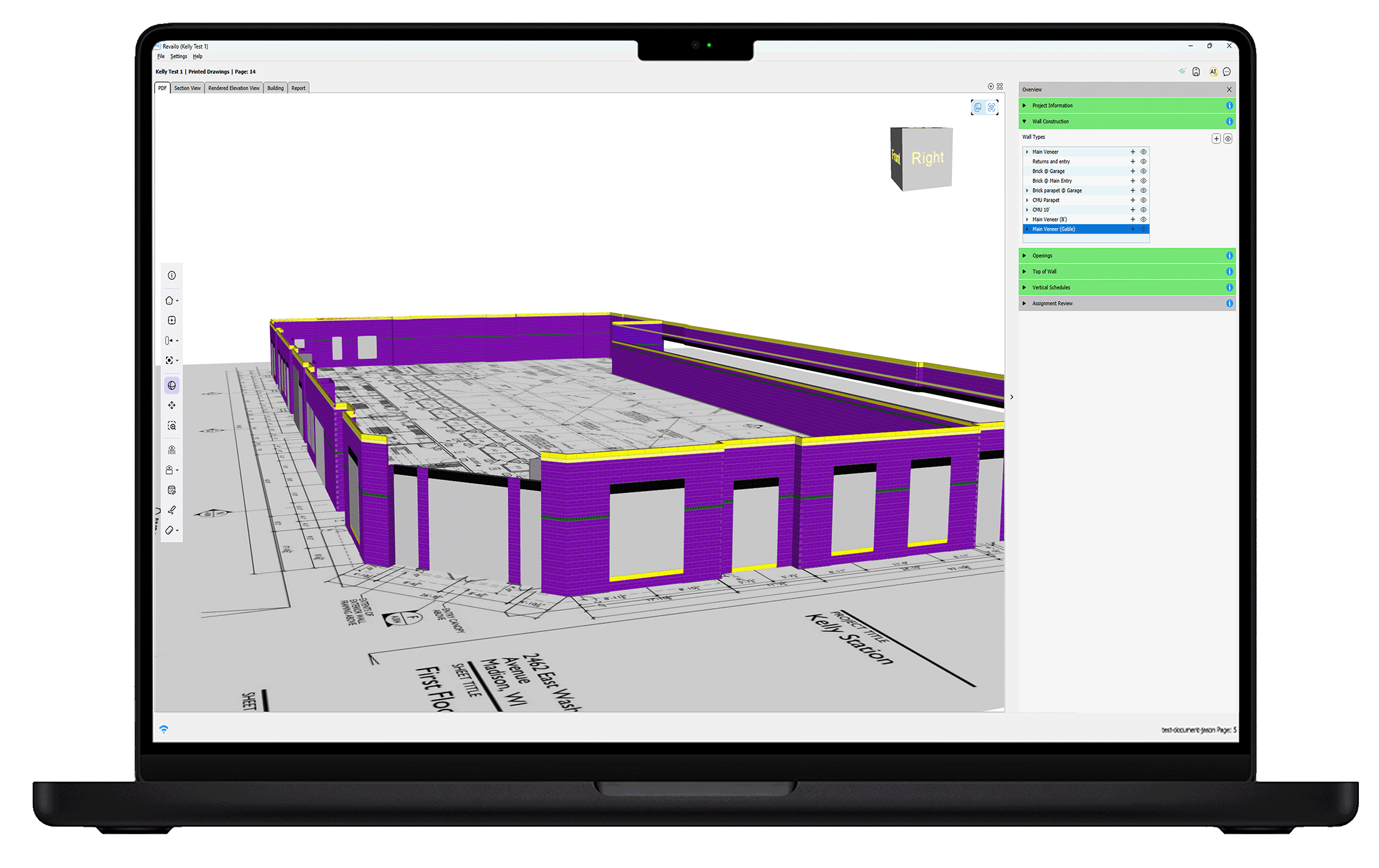
If you've done a few of these by hand, you already know the slow parts: scaling lengths off PDFs, chasing rebar and grout through the structural schedule, and re-counting openings. Those are exactly the steps deep-learning takeoffs are built to compress — Revailo reads the plan, measures walls, deducts openings, and counts by assembly so you spend your time checking judgment calls instead of clicking a digitizer. If you want a closer look at that side, see how AI is changing masonry estimation.
A masonry takeoff isn't magic — it's a disciplined sequence applied the same way every time. Nail the plan review, keep your wall types honest, count by assembly, and let waste, packaging, and labor follow from clean quantities. Build the habit once and every bid after it gets faster, tighter, and easier to defend.
Revailo pairs deep-learning takeoffs with 3D visualization so you can bid faster and quote with confidence. Book a live demo and see it on your own plans.