Reading Masonry Blueprints: A Beginner’s Guide
How to find your way around a set of construction drawings so you can estimate masonry with confidence.
If you can pour a footing and lay a course of block but freeze up when someone hands you a full set of drawings, you are not alone. Reading masonry blueprints is a skill on its own, and most estimators learn it the hard way: by missing a wall type, mispricing an opening, or finding a critical note buried on a detail sheet after the bid went out. The good news is that a drawing set follows a predictable logic, and once you understand that logic you can navigate any project.
This guide walks you through the parts of a set that matter for masonry: the sheet types you will use, how scales work, how to use the table of contents, the symbols and abbreviations you will see again and again, and how to chase a wall type or an opening across multiple sheets without losing the thread.
Start with the sheet types that matter for reading masonry blueprints
A construction set is organized by discipline. You will see architectural (A), structural (S), and sometimes civil, mechanical, electrical, and plumbing sheets. For masonry, you live mostly in the A and S sheets, and you cross-reference between them constantly. Here are the four sheet types that do the heavy lifting:
- Floor plans — a horizontal slice through the building, roughly four feet off the floor. This is where you measure linear feet of wall, locate openings, and identify which wall type each run is. Plans give you length and layout, not height.
- Elevations — straight-on views of each face of the building. Elevations give you height, coursing, control joints, banding, and the look of the veneer. When a plan and an elevation disagree, you have a question for the architect.
- Wall sections — a vertical cut through a wall, showing the assembly from footing to parapet: CMU backup, air gap, insulation, brick veneer, flashing, ties, and bond beams. Sections tell you what the wall is actually made of.
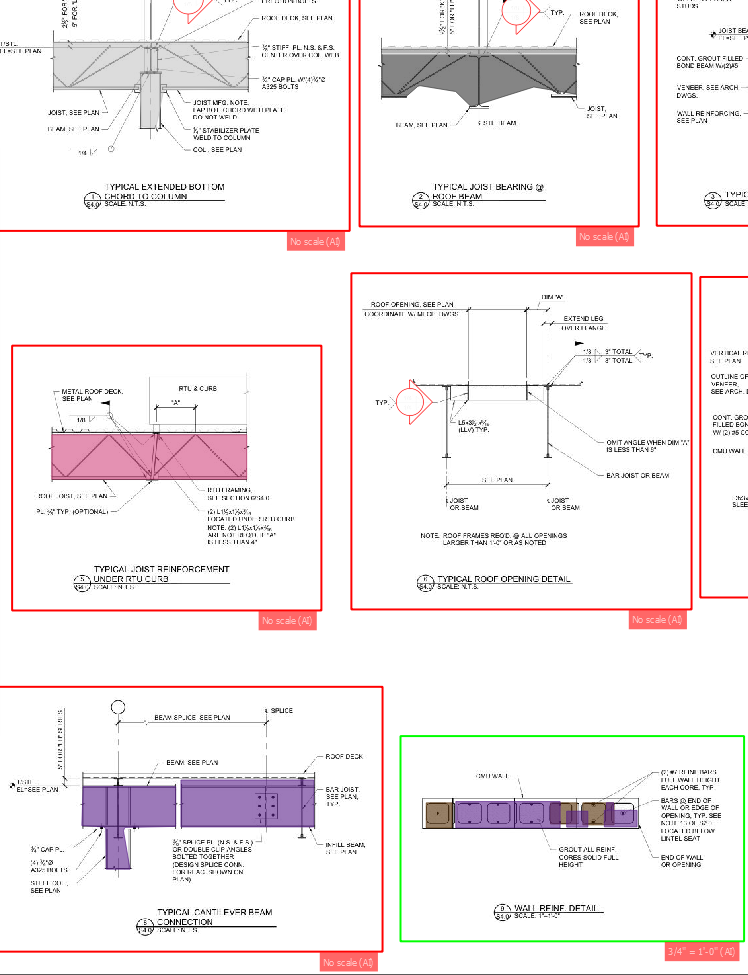
- Details — zoomed-in views of a specific condition: a lintel, a sill, a corner, a shelf angle, a control joint. Details carry the dimensions and notes that plans and sections are too small to show.
Read them in that order when you are sizing up a job. Plans tell you how much, elevations tell you how tall, sections tell you what it is built of, and details tell you the exact conditions you have to price.
Understand scale before you measure anything
Every sheet is drawn to a scale, printed in the title block or under each view. Common architectural scales are 1/8" = 1'-0" for plans and 1/4" = 1'-0" for enlarged plans; sections and details are often drawn at 3/4" = 1'-0", 1 1/2" = 1'-0", or larger. The bigger the ratio, the more detail you can trust on that sheet.
Two rules will save you grief. First, always pull written dimensions over scaled ones. A printed dimension string is the architect's intent; scaling with a ruler is your fallback for the gaps. Second, confirm the print is to scale at all. Plotted PDFs and "reduced" half-size sets throw the scale off. Find the graphic scale bar on the sheet and measure it; if a bar that says one foot does not measure one foot at your stated scale, do not trust your ruler on that sheet.
Use the table of contents as your map
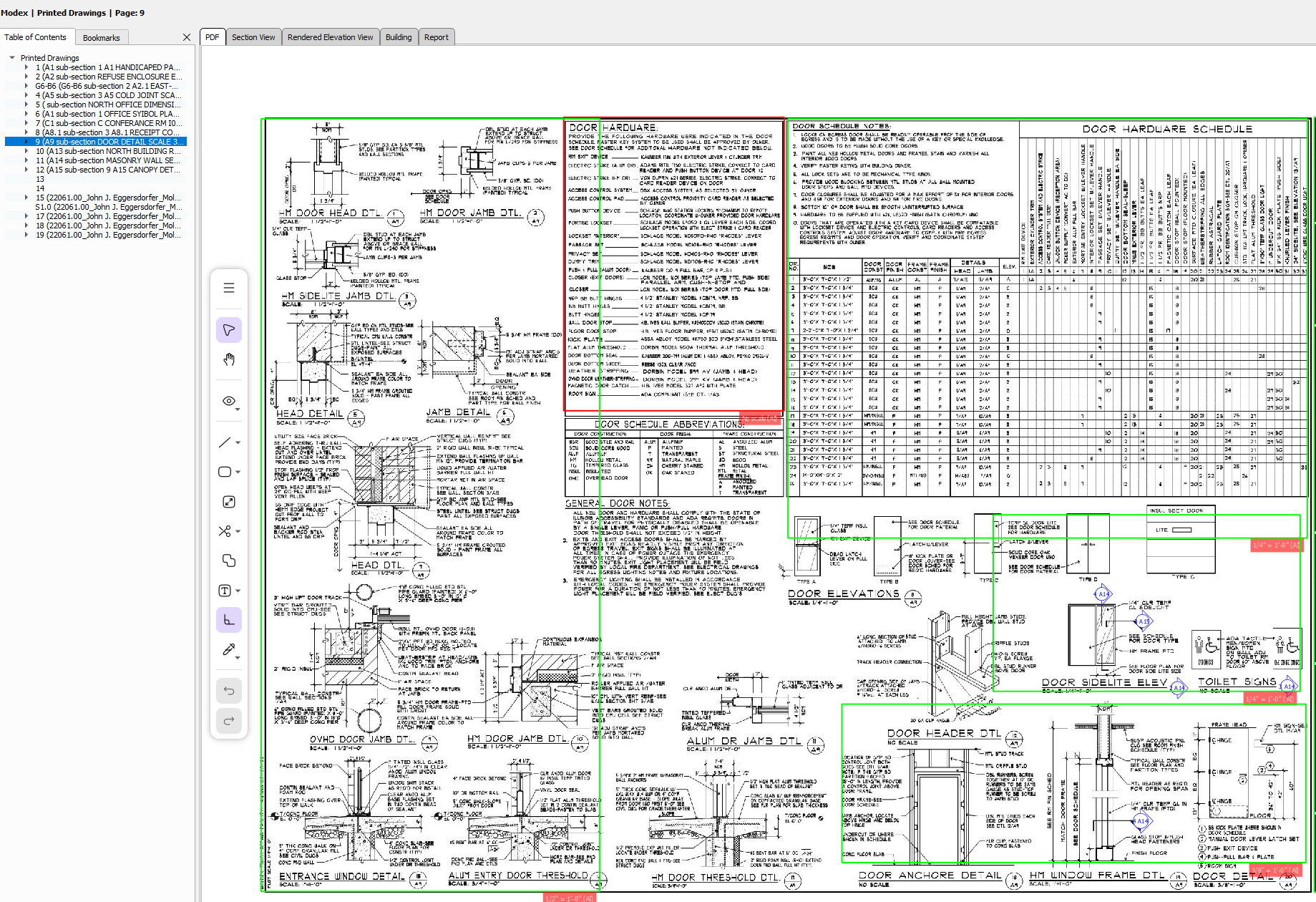
The cover or G-001 sheet carries a drawing index — the table of contents for the whole set. Skim it first. It tells you how many architectural and structural sheets exist, whether there is a dedicated masonry or schedule sheet, and where the wall sections and details live. Estimators who skip the index end up pricing off the plans alone and miss the bond-beam schedule sitting on S-501.
Learn the masonry symbols and abbreviations
Masonry has its own shorthand. You do not need to memorize every symbol, but a working vocabulary keeps you from misreading a wall. The ones you will meet most often:
- Material hatches — CMU is usually drawn as a hollow rectangle with a diagonal or cross hatch; brick is a finer diagonal hatch; grout-filled cells are shown solid or blacked in. The legend on the cover or the first A sheet defines exactly what each pattern means on that project.
- Abbreviations — CMU (concrete masonry unit), BRK (brick), VNR (veneer), BB (bond beam), VRT or VERT (vertical reinforcing), CJ (control joint, masonry) versus EJ (expansion joint, veneer), EW (each way), OC (on center), TYP (typical), U.N.O. (unless noted otherwise).
- Callout bubbles — a circle split top and bottom with a leader and a "tail" cut line. The top number is the detail or section number; the bottom is the sheet it lives on. This is how the set tells you "go look over here."
A drawing set is not a picture of the building — it is a cross-referenced argument, and the callout bubbles are the footnotes that hold it together.
Watch the difference between a control joint and an expansion joint especially closely. A CJ in CMU and an EJ in brick veneer are detailed differently, get different materials, and carry different labor. Treating them as the same thing is a classic masonry estimating mistake.
Find the wall types and read the openings
Most sets define a set of wall types — keyed tags like W1, W2, or A, B, C — either on a dedicated wall-type legend or in the section views. Each tag describes a full assembly: for example, "8" CMU, #5 vertical at 48" OC grouted, 2" air gap, rigid insulation, 4" brick veneer on adjustable ties at 16" OC vertically." On the floor plan, every wall run carries one of these tags. Your first job on any masonry takeoff is to walk every wall and write down which type it is, because the type drives your block count, your brick versus CMU quantities, your grout, and your reinforcing.
Openings
Openings — doors, windows, louvers — are where quantities and labor concentrate. On the plan, an opening shows a rough width; the door or window schedule (often on the A-6 or A-7 sheets) gives the rough height and the unit number. From there you cross-reference to the lintel schedule or the head detail to find what spans the opening: a loose steel angle, a precast lintel, or a reinforced bond-beam course. Every opening also means jamb conditions, a sill detail, and flashing. Miss the lintel schedule and you will under-price the steel and the labor to set it.
Cross-reference details the right way
This is the habit that separates a clean bid from a callback. When you see a callout bubble on a wall section — say "5 / A-501" — stop and go to detail 5 on sheet A-501. That detail will tell you the tie spacing, the flashing turn-up, the weep spacing, the grout extent, or the rebar lap that the section was too small to show. Then come back and keep reading. The details quietly change your quantities: a bond beam at every floor line and at the top of every wall adds horizontal steel and grout that the plan never hinted at.
A practical cross-referencing loop for each wall type:
- On the plan, note the wall-type tag and the linear footage of each run.
- Go to the matching wall section to confirm the assembly and the height.
- Follow every callout bubble on that section to its detail for ties, flashing, joints, and reinforcing.
- Pull the schedules — vertical reinforcing, bond beam, lintel, door/window — for the exact bar sizes, spacings, and opening dimensions.
- Check the general notes and specifications for grout strength, mortar type, cleanout requirements, and anything tagged "typical."
Do not forget the structural set. The vertical reinforcing schedule, the bond-beam schedule, and grouted-cell requirements usually live on the S sheets, while the veneer and finishes live on the A sheets. The two have to agree, and where they do not, you flag it as an RFI rather than guessing.
Key takeaways
- Read in order: plans for length, elevations for height, wall sections for the assembly, details for the exact conditions.
- Always trust written dimensions over scaled ones, and verify the print is actually to scale before you reach for a ruler.
- Use the drawing index and the wall-type legend as your map before you start measuring.
- Chase every callout bubble to its detail and pull the schedules — that is where bond beams, lintels, ties, and reinforcing hide.
- Cross-check the A sheets against the S sheets; where they disagree, raise an RFI instead of assuming.
Reading masonry blueprints comes down to discipline, not memorization. Learn the four sheet types, respect the scale, treat the table of contents and wall-type legend as your map, and follow every callout to its detail. Do that consistently and your takeoffs get faster and far more accurate. Tools like Revailo can automate the measuring and surface wall types and openings for you, but the estimator who understands how a set is put together will always catch the things a quick glance would miss. If you are ready to put this into practice, walk through how to do a masonry takeoff next.
Revailo pairs deep-learning takeoffs with 3D visualization so you can bid faster and quote with confidence. Book a live demo and see it on your own plans.